1. Introduction: The Perfect Combination of Zettelkasten and Obsidian
You possess a massive "digital graveyard" without even realizing it. Thousands of bookmarks never read again, hundreds of files cluttering deep folders, and scattered notes fading into oblivion. Every time you need to brainstorm a new project or write an important report, you still face a blank page and familiar frustration. Passively accumulating information creates an illusion of understanding, while in reality, you are merely hoarding digital trash.
To escape this trap, we need a revolution in how we think and process information. That is when the Zettelkasten (slip box) method meets Obsidian—creating the most powerful Personal Knowledge Management (PKM) system available today. This combination is not merely a change in software tools, but a complete mindset shift toward Systems Thinking: moving from passive, linear information storage to building an active, self-growing knowledge network.

The Zettelkasten method, developed by the eccentric sociologist Niklas Luhmann, operates on the principle that each idea is an independent atom (atomic note), connected to each other through intentional links rather than categorized into rigid folders. When bringing Zettelkasten into Obsidian's digital environment, this power is multiplied exponentially thanks to backlinks and Graph View.
"A single note is just dead information. But two linked notes create a new idea. Your knowledge system must be a living organism that evolves over time."
Look at the core differences between traditional storage thinking and systems thinking realized by the combination of Zettelkasten and Obsidian:
| Comparison Criteria | Traditional Storage (Folder-based) | Zettelkasten + Obsidian System |
|---|---|---|
| Organizational Structure | Strictly hierarchical (Parent-child folder tree). Easily causes confusion when a note belongs to multiple categories. | Decentralized network. Notes freely connect multidimensionally, unrestricted by folder boundaries. |
| Information State | Static and passive. Information is forgotten right after being saved. | Dynamic and active. Notes constantly interact and collide to generate new knowledge. |
| Retrieval Efficiency | Relies on memory to find the right folder path or search keywords. | Retrieves information through contextual links, naturally tracing thought patterns. |
| Scalability | Limited. The larger the system, the more cumbersome it becomes, easily collapsing under information overload. | Unlimited. The more data added, the tighter and smarter the connection network becomes. |
By using Obsidian to practice Zettelkasten, you no longer waste energy wondering "which folder should this note go into." Instead, you simply ask yourself: "How does this idea relate to what I already know?". This is the key to unlocking ultimate creativity, transforming your workspace into a high-performance knowledge production hub.
2. Harnessing the power of bidirectional links (Backlinks) to develop ideas
Thousands of notes sitting idle in strict hierarchical folders are essentially a "knowledge graveyard." You store a vast amount of information, but when you need to generate ideas for a new project, you struggle in the chaos of overlapping folders. Obsidian fundamentally solves this pain point with bidirectional links (Backlinks)—breaking away from obsolete linear storage thinking to build a self-operating second brain.
In traditional tools, the relationship between documents is strictly one-way: you point from Note A to Note B, and from Note B you have no idea who is referencing you without searching manually. Obsidian flips the script. When you connect Note A to Note B using the syntax [[Note B]], the system automatically logs a Backlink at Note B pointing directly back to Note A. You can easily see the full context in which this note has ever appeared.
This method allows you to build Atomic Notes—tiny, concise pieces of information containing only a single idea. Instead of writing a thousands-word document that is hard to manage, you break it down into independent atomic notes and link them together. As notes are continuously cross-linked based on real-world context, they automatically weave an Emergent Knowledge Network. New ideas do not emerge from thin air; they sprout from the intersection of existing data nodes.

The real power of Obsidian lies in the Unlinked Mentions feature. This is an incredibly powerful hidden relationship detector that top writers, researchers, and project managers crave. When you open a note titled "Performance Optimization," Obsidian automatically scans your entire vault and lists all notes containing the phrase "Performance Optimization" that you have not yet linked with [[]].
"Unlinked Mentions help you connect ideas written months or even years apart, creating creative touchpoints that you yourself had forgotten about."
Imagine writing a note on "Human Resource Management" today. This feature will remind you that six months ago, in a book note on "Behavioral Psychology," you mentioned this phrase. With just a single click to convert from "Unlinked" to "Linked," you build a mental bridge between two completely different fields, unlocking a unique perspective for your writing or project.
| Comparison Feature | Traditional Folder Model (Folders) | Bidirectional Linking Model (Obsidian Backlinks) |
|---|---|---|
| Storage Structure | Strict, one-way hierarchy, easily causing mental "bottlenecks." | Decentralized, flexible, multidimensional network. |
| Retrievability | Relies on remembering the exact folder containing the file. | Discovered through associated contextual pathways. |
| Creativity Potential | Low; information is isolated in separate folders. | Extremely high; stimulates associative thinking. |
The shift from storage-oriented to link-oriented thinking is not merely a change of tools. It is a revolution in Personal Knowledge Management (PKM) practices. By mastering Backlinks and Unlinked Mentions, you no longer have to memorize information mechanically; instead, you are nurturing an automated idea-prompting system, transforming every workplace note into an asset that compounds in value over time.
3. Graph View: A Visual Map of Systems Thinking
Thousands of notes lying dormant in traditional folders are actually an "information graveyard." You save them, organize them neatly, but never read them again because they are completely isolated. Obsidian's Graph View emerges to end this pain point, turning static text files into an artificial neural network that accurately reflects how your brain operates.
Far from just a pretty visualization feature to show off on social media, Graph View is a super-effective dynamic mind map. By observing the interaction between nodes and links, you will immediately recognize your thinking strengths, bottlenecks, and knowledge gaps that need to be filled right away.
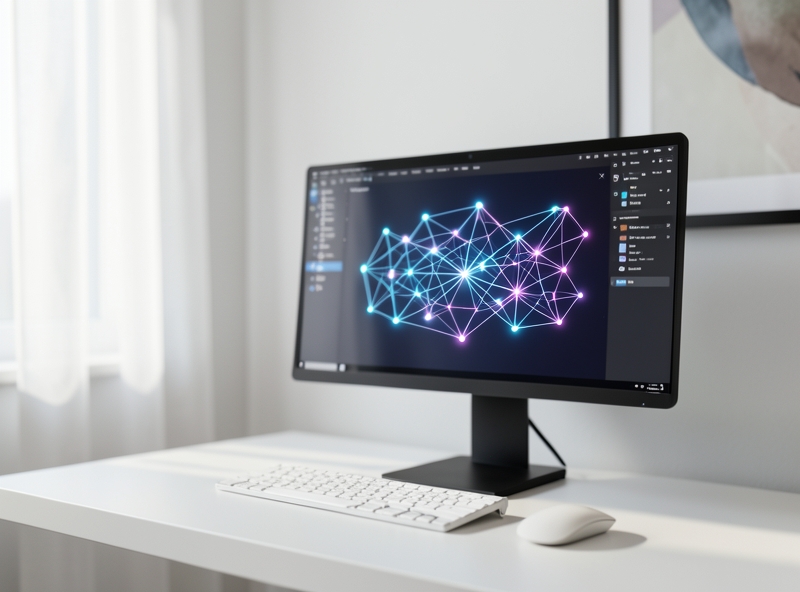
To transform the knowledge graph from a chaotic mess into a sharp analytical tool, you need to master the three core settings below:
- Use Filters to eliminate noise: By default, Graph View displays all files, including daily notes, raw archive documents, or images. Use filter syntax like
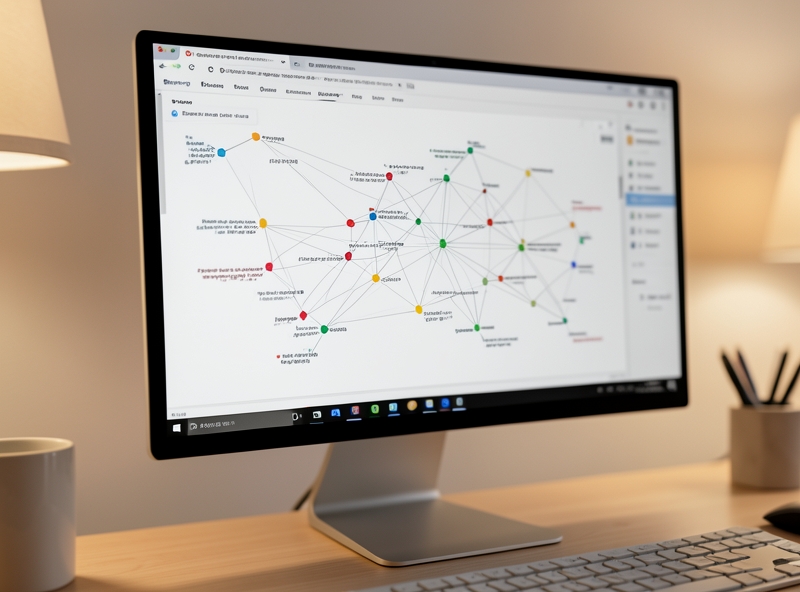
-path:"Daily Notes"or-file:.pngto filter out irrelevant nodes, keeping only truly high-quality knowledge nodes. - Group by color (Groups) to map topics: Use tag systems or folder structures to automatically assign colors to node groups. For example, set green for nodes tagged with
#ideas, red for ongoing projects tagged with#projects, and yellow for reference materials tagged with#book-sources. Instantly, you will see the big picture of how your cognitive energy is distributed. - Adjust physical forces (Force-directed graph): Adjust parameters in the Force section to optimize display. Increase Center Force to pull knowledge clusters closer together, or increase Repulsion to separate nodes clearly, making it easy to click on individual links without overlap.
"In an era of information overload, the winner is not the one who memorizes the most, but the one who sees the connections between seemingly unrelated pieces of knowledge."
When nodes interact based on Obsidian's physical forces, three key knowledge entities automatically emerge:
| Graph Entity | Representation in Obsidian | Practical Value for Users |
|---|---|---|
| Knowledge Clusters | Tightly clustered linked nodes forming a high-density area on the graph. | Highlights the topics you are researching most deeply and possess the most expertise in. |
| MOCs (Maps of Content) | The largest central nodes, receiving dozens of links coming in from all directions. | Act as "transit hubs," helping to systematize entire complex information categories. |
| Orphan Nodes | Small nodes floating freely at the outer edges of the graph, with no connections to other nodes. | Warns of information gaps or neglected ideas that need to be connected and further developed. |
By actively searching for "orphan nodes" on the periphery and pulling them into central knowledge clusters via bidirectional links (backlinks), you are engaging in deep synthesis thinking. This is when breakthrough creative ideas emerge, thoroughly solving the issue of disconnected data that has always been the biggest hurdle for modern office workers.
4. Workflow for Applying Zettelkasten in Personal Project Management
Have you ever found yourself "drowning" in dozens of browser tabs, notes scattered across Notion, Apple Notes, and handwritten scraps of paper while running a personal project? Traditional folder-based information management is quietly killing your creativity by isolating data into "sealed boxes." When you need to connect ideas, you lose track completely.
The Zettelkasten system radically solves this pain point by transforming scattered pieces of information into a self-growing knowledge network. Instead of managing a project along a straight line, you operate it like an ecosystem, where a research idea from three months ago can instantly trigger a solution for your current task.
| Comparison Criteria | Traditional Folder-Based Management | Zettelkasten Network-Based Management |
|---|---|---|
| Storage Structure | Rigid hierarchy (Parent-child directory tree). Easy to lose track when files are buried too deep. | Flat and interconnected (Node network). Access any information in a maximum of 2-3 clicks. |
| Reusability | Low. Documents from Project A are very difficult to display or link naturally to Project B. | Maximum. Old ideas are continuously linked to nurture new projects. |
| Operational Experience | Stressful due to constantly organizing "where should I store this file." | Freedom to create direct links while writing, reducing cognitive load. |
To practically apply Zettelkasten to personal project management, you need to set up a Project Map of Content (PMOC) that serves as a "navigation station," connecting directly to the three core satellite node types below:
- Central Project Note (PMOC): This is the high-level map of the project. This note does not contain all details, but only contains links (backlinks) to component notes. Here, you record the ultimate goal, deadlines, and overall mind map of the project.
- Action Notes: Each major task is a separate note. Instead of just writing "Write analysis article," this action note will link directly to notes containing relevant research materials, allowing you to get to work immediately without wasting time searching for documents.
- Reference Notes: A place to store quotes, articles, data, or random ideas. The key is that you must rewrite them in your own words (Literature Notes) and link them back to the central project note.
- Daily Notes: Where you record daily progress. By inserting the Central Note link into today's daily note, you create an automated historical timeline (log), making it easy to track progress and trace decision origins.
Imagine you are working on an e-book writing project. The practical Zettelkasten workflow unfolds as follows: You open the Central Project Note (Book MOC). From here, you click the link to [Action Note: Write Chapter 1]. Right within the Chapter 1 note, you have pre-inserted links leading to 3 [Reference Notes] containing research data you gathered last week. You don't need to dig through hard drives or search emails. Everything appears right before your eyes exactly when you need it.
"The power of Zettelkasten lies not in how much information you store, but in how many intelligent connections you create between those pieces of information."
By shifting from a storage mindset to a connecting mindset, you not only manage projects multiple times more efficiently, but also continuously accumulate an invaluable knowledge asset for the future. Each completed project is no longer a forgotten folder, but a cluster of knowledge nodes always ready to connect to upcoming ideas.
5. Conclusion
Every day, your brain has to handle hundreds of open browser tabs, dozens of temporary files saved on your Desktop, and countless ideas that flash and disappear during lengthy meetings. We try to optimize performance by "remembering more," but in reality, we only end up with cognitive exhaustion. In the era of the information explosion, competitive advantage no longer lies in how much data you own, but in systems thinking to transform that data into actionable knowledge.
Applying the Zettelkasten method on the Obsidian platform to build a "Second Brain" is a mind-liberating revolution for digital workers. Instead of turning your physical brain into a passive storage hard drive, this system helps you delegate the entire task of remembering so you can focus completely on connecting ideas, creating, and making decisions.
| Comparison Criteria | Traditional Storage (Folders/Files) | Second Brain System (Obsidian + Zettelkasten) |
|---|---|---|
| Data Structure | Rigid hierarchy, easily creating forgotten information "black holes." | Non-linear network (Networked), automatically connecting related ideas. |
| Cognitive Load | High. Always having to think, "Which folder should I save this file in?". | Low. Focus on quickly capturing ideas; the linking system will auto-position them. |
| Applicability | Difficult to reuse old data when work contexts change. | Creates unexpected connections, fostering breakthrough creative thinking. |
"Your brain is for having ideas, not holding them. Only when you clear your working memory can you truly reach peak productivity performance."
Investing in office technology doesn't stop at purchasing expensive equipment. Core change begins with how you manage your personal information flow. By establishing a solid Second Brain, you not only optimize your daily work performance but also build a long-term thinking launchpad, turning every piece of information received into raw material for your next achievements.