1. The Importance of Connecting Trello and Slack in Project Management
In the context of digital transformation in the modern workplace, data fragmentation between specialized tools is often the biggest barrier to productivity. Trello currently serves as a task management hub based on the visual Kanban method, while Slack acts as the organization's communication lifeline. However, operating these two platforms independently often leads to disruptions in information flow and diminishes staff focus.

One of the core benefits of synchronizing Trello and Slack is minimizing "context switching." Organizational psychology studies indicate that every time employees switch between unrelated applications, the brain takes a significant amount of time to re-establish focus. Integration allows users to receive notifications, create task cards, or update project statuses directly within the Slack interface, helping to maintain a continuous flow state.
| Comparison Criteria | Independent Operation | System Integration |
|---|---|---|
| Response Speed | Delayed due to manual checking of multiple apps. | Real-time via automated notifications. |
| Data Integrity | Prone to errors when copying information back and forth. | Data is updated synchronously and consistently. |
| Focus Ability | Low due to constant switching between windows. | High thanks to centralized management at a single point. |
"Consolidating workflows into a single interface is not just a technical improvement, but a strategy to optimize the intellectual resources of the team."
Furthermore, this connection ensures transparency and discipline in progress management. When a deadline on Trello approaches, the system automatically sends reminders in the corresponding Slack channels, eliminating the information blind spots often found in traditional communication. Every project member can track task card changes without directly accessing the management board, thereby creating a rapid response mechanism to changes arising in the project.
- Instant Updates: Every change regarding assignees, labels, or comments on Trello is pushed to Slack.
- Operation Optimization: Allows for the creation of Trello cards directly from an important conversation on Slack.
- Deadline Control: Automates reminder notifications for due dates to ensure overall progress.
2. Why use Zapier or Make instead of built-in integrations?
Imagine using Trello's default Power-Up features like playing with a basic Lego set: everything fits together and is easy to assemble, but you can only build what the manufacturer has pre-designed. When you step into the world of Zapier or Make (formerly Integromat), you are the owner of a 3D printing workshop and logic circuit boards capable of creating any "machine" you desire. For a true "geek," this difference lies in the ability to control data at an atomic level.
"The difference between built-in integrations and middleware tools is the boundary between 'accepting what is given' and 'defining how the system operates'."
The fatal weakness of native integrations is their linear and closed nature. You want Trello to automatically create a card when an email arrives? Sure, a Power-Up can do that. But what if you want: "If the email has a PDF attachment > 5MB, upload it to Folder X on Google Drive, then create a card on Trello and tag the specific Team Leader in charge of that project"? At this point, built-in integrations will "surrender" due to the lack of Filters and multi-step workflow capabilities.
| Features | Default Power-Up Integrations | Zapier / Make (Middleware) |
|---|---|---|
| Logic Structure | Linear (A leads to B) | Branching, Complex If/Then Logic |
| Number of Steps | Usually limited to 1-1 | Unlimited (Multi-step), sequential action chains |
| Data Processing | Keep original format | Extraction (Regex), calculation, content reformatting |
| Connectivity | Only within supported ecosystems | Thousands of Apps via API and Webhooks |
The ability to set up Filters is the "ultimate weapon" of Zapier/Make. You aren't just moving data from A to B; you are playing the role of an intelligent "gatekeeper." You can set up logic conditions to prevent "junk data" from flooding your system. For example, only leads from Facebook Ads with a valid phone number and located in the Hanoi area are pushed into the CRM. This is how we optimize resources and minimize "noise" in task management.

Finally, we must mention flexible data processing. With Make, you can use functions similar to Excel right within your automation flow: calculate dates, change uppercase/lowercase, or even use HTTP Requests to call APIs that aren't natively supported. This is no longer just ordinary "office automation"; this is the art of Data Orchestration. When you master Zapier or Make, you don't just save time—you are building a unique "operating system," perfectly optimized for your business.
3. Automating Trello to Slack Notifications using Zapier
Imagine Zapier as a diligent "translator" standing between two islands: Trello (where you perform the work) and Slack (where everyone discusses). Instead of manually messaging your colleagues every time a task is completed, Zapier will automatically "listen" for changes and send out an accurate report instantly.
Setting up this connection is essentially building an "If This, Then That" scenario. Here are the steps to turn your manual process into a fully automated one.

Step 1: Set up the Trigger - What happens in Trello?
In the world of Zapier, a "Trigger" is the event that starts the process. It's like placing a sensor bell at a door: the bell only rings when someone walks in. You can choose from these common events:
- New Card: Ideal for notifying when a new request or project is "born."
- Card Moved to List: This is the best choice. For example, when you drag a card from the "In Progress" column to "Done," that is the signal for Zapier to start working.
"A Trigger is not just a notification; it is the beginning of a calculated chain of actions that eliminates communication lags."
Step 2: Set up the Action - What will Slack do?
After "hearing" the bell from Trello, Zapier will perform a specific action on Slack. Choose "Send Channel Message". Here, you need to select the correct Channel your team is working in so the information reaches the right people in the right place.
Step 3: Format the message content (Secret to professional information)
An automated message becomes meaningless if it only shows the task title. To help colleagues grasp the situation without opening Trello, you should "package" the information comprehensively in the Zapier content box. Use Dynamic Fields to customize:
| Information to Display | Purpose | Suggested Writing in Zapier |
|---|---|---|
| Task Name | Know exactly what is happening. | [Card Name] |
| Assignee | Acknowledge credit or know who is responsible. | 👤 Assigned to: [Member Full Name] |
| Deadline | Reminder of the task's urgency. | ⏰ Deadline: [Due Date] |
| Link | Quick access to check details. | 🔗 View details: [Short URL] |
Once set up, every time a task is completed, your Slack will receive a polished message like this: "✅ Task [Banner Design] has been completed by [John Doe]. Deadline: 10/20/2023. View details at: [Link]." This method minimizes redundant questions like "Who did this?" or "When was it finished?" in your daily chat flow.
4. Building Advanced Work Progress Update Scenarios with Make
The evolution of office technology has moved beyond simply connecting individual applications to a stage of conditional automation and two-way interaction. Make (formerly Integromat) serves as a powerful iPaaS (Integration Platform as a Service) platform, allowing the setup of complex data processing flows through branching logic and array processing capabilities. At an advanced level, users do not just receive passive notifications but can directly coordinate workflows right within the conversational interface.
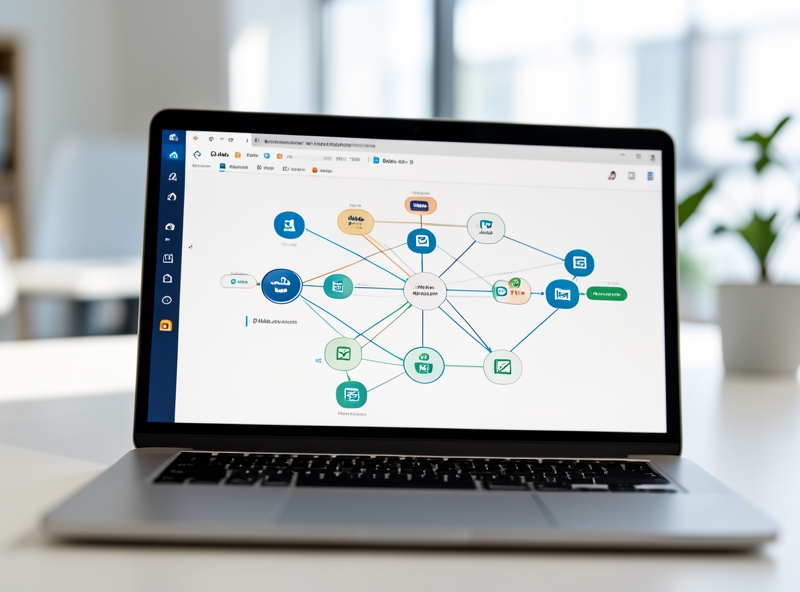
One of the most practical applications is using Interactive Buttons from Slack to update Trello status. Instead of having to leave the discussion space to open a task board, this scenario operates based on a dual-ended Webhook mechanism:
- Phase 1: When a new card is created on Trello or a specific change occurs, Make sends a message to Slack with custom buttons such as "Approve", "Reject", or "In Progress".
- Phase 2: The manager clicks a button directly on Slack. This action sends a POST request containing identification information (Card ID) back to the Make Webhook.
- Phase 3: Make receives the data, classifies the action based on the button ID, and performs the corresponding card update on Trello (moving columns, adding labels, or notes).
"Transitioning from one-way notifications to two-way interaction helps reduce context switching time for operations personnel by 30-40%."
In addition to instant interaction, periodic report aggregation is a critical task in progress management. Make allows for processing large volumes of data through Iterator and Aggregator modules. Below is a comparison table of the operating mechanisms of two common update methods:
| Criteria | Interaction-based Update (Real-time) | Aggregated Reporting (Periodic) |
|---|---|---|
| Trigger Mechanism | Webhook (Instant upon event) | Scheduling (Specific hour/day/week) |
| Core Modules | Webhooks, Slack: Interactive Message | Trello: Search Cards, Array Aggregator |
| Intended Use | Quick approval, individual status updates | Overall picture control, performance evaluation |
For a weekly reporting scenario, Make will execute a process to query all cards in the "Done" list on Trello within the last 7 days. Raw data from the Trello API will be fed into the Array Aggregator module to be reformatted into a structured list. Finally, the Slack module will use mrkdwn syntax to send a professional summary to the team's general channel, including the number of completed tasks, the primary assignees, and any pending items.
Mastering these techniques requires an understanding of JSON structures and data mapping. However, the value provided is a self-operating digital office ecosystem, reducing errors caused by manual operations and ensuring a smooth flow of information.
5. Key Considerations to Avoid Notification Fatigue
In the journey of observing the evolution of the modern workspace, one realizes that the constant "pings" from Slack or Teams are no different from the clamor of a medieval marketplace—where vital information is easily buried under the dust of trivial greetings. "Notification Fatigue" is a malady of the digital age, causing individuals to lose their capacity for deep focus, much like a traveler lost in a thick fog. To restore the stillness necessary for thinking, establishing an information filtering system is not just a technical skill, but a ritual of respecting personal boundaries.
The first step in the journey of refining digital sound is setting up smart filters on Slack. Instead of letting yourself be swept away by every status update, configure your "Notification Settings" to only receive alerts for important Keywords directly related to your projects. This is akin to how high-altitude indigenous people can recognize the bell of their own livestock amidst a thousand other sounds of the mountains and forests. Leverage the "Schedule" feature to turn off all notifications after work hours, reclaiming space for personal reflection and pure rest.

The communication culture within Slack needs to be preserved through the use of Threads. Consider the main channel as a central plaza—reserved only for the most important announcements—and Threads as private tea rooms where detailed discussions take place without disturbing the surrounding community. Responding directly within a Thread keeps communication channels tidy, preserving the data "heritage" so that those who come later can easily search for information without wading through thousands of lines of junk messages.
"Silence in the digital space is not the absence of communication, but the presence of selective and valuable messages."
Finally, the security and management of information flow through intermediary tools (such as Zapier, Make, or IFTTT) must be executed with the vigilance of a gatekeeper. When connecting applications to push notifications, adhere to the Principle of Least Privilege. Only grant access to the channels that are truly necessary and periodically review the list of these "intermediary apps." A system overloaded with automated notifications from bots not only creates noise but also serves as a loophole for potential security risks.
| Category | Configuration Method | Value Provided |
|---|---|---|
| Smart Filters | Use Keywords and "Direct Messages, mentions & keywords" mode. | Reduces noise from irrelevant conversations by 70%. |
| Thread Structure | Mandatory replies within threads for detailed topics. | Maintains transparency and searchability of chat history. |
| Access Rights | Limit Scopes (permission range) when integrating third-party Apps. | Protects sensitive data and minimizes spam notifications from Bots. |
By mastering these setup rituals, we not only optimize productivity but also preserve peace of mind in an era where the boundaries between the real and the virtual, between work and life, are becoming increasingly fragile.
6. Frequently Asked Questions (FAQ)
Welcome to the "deep-dive" section! I know that when we start intervening in the structural layer of workflows using code-free automation, dozens of questions about system stability and scalability will arise. Don't worry, let me "dissect" the most common concerns from the perspective of a true systems engineer!
| Criteria | Zapier (The King of Integrations) | Make (The Logic Architect) |
|---|---|---|
| Starting Cost | Free plan (100 tasks/month) | Free plan (1000 ops/month) |
| Cost Structure | Charged per completed "Task." Quite expensive at scale. | Charged per "Operation." Very affordable for complex data processing flows. |
| Complexity | Extremely easy, just "Point and Click." | Visual programming, allowing for powerful functions, loops, and filters. |
If you just need a simple notification "shot" from Trello to Slack, Zapier is the perfect "instant noodle" choice. But if you are a "control freak" who wants to handle complex branching logic (e.g., if a card belongs to Label A then tag @UserB, if overdue then send a warning email), Make.com will be a paradise for you to "tinker" with at a highly optimized cost.

"If Trello has an error (server down), will Slack still receive the message?"
The answer is: NO. Technically, intermediary tools like Zapier or Make operate based on Webhook or Polling mechanisms. If Trello "crashes," the Payload (data packet) will never be sent from Trello's Endpoint. However, here is the interesting part: Advanced automation platforms often have "Error Handling" or "Queue" mechanisms. When Trello is back up, stuck requests can be re-executed (Re-run) depending on your service plan configuration. Truly the beauty of redundancy!
"In the world of automation, errors are not scary. What is scary is a system without an error logging mechanism to let us know at which step in the data pipeline it 'died'."
"Is there a limit to the number of cards synced per day?"
Theoretically, the limit does not lie with Trello or Slack but rather in the "API Rate Limits" and the paid plan of the intermediary tool:
- API Rate Limit: Trello limits the number of requests per second to avoid spam. With typical office workflows, you will almost never hit this threshold unless you are running a script to sync tens of thousands of cards simultaneously.
- Service Plan Quota: If you use Zapier's Free plan and a project generates 101 new cards that day, the 101st card will be suspended because you have exhausted your "Task quota."
- Polling Interval: On free plans, automation tools usually check Trello every 15 minutes. If you want "real-time" (instant) updates, you must upgrade to a paid plan to use Instant Webhooks.
In short, setting up an automation system is like building a clockwork mechanism. You need to understand each gear (API), the energy source (Budget), and how they react when an incident occurs. Once you master it, the feeling of watching everything run itself is truly an indescribable type of euphoria!